
5 Apps to Help Kids Talk That I’d Actually Pull Out My Wallet For
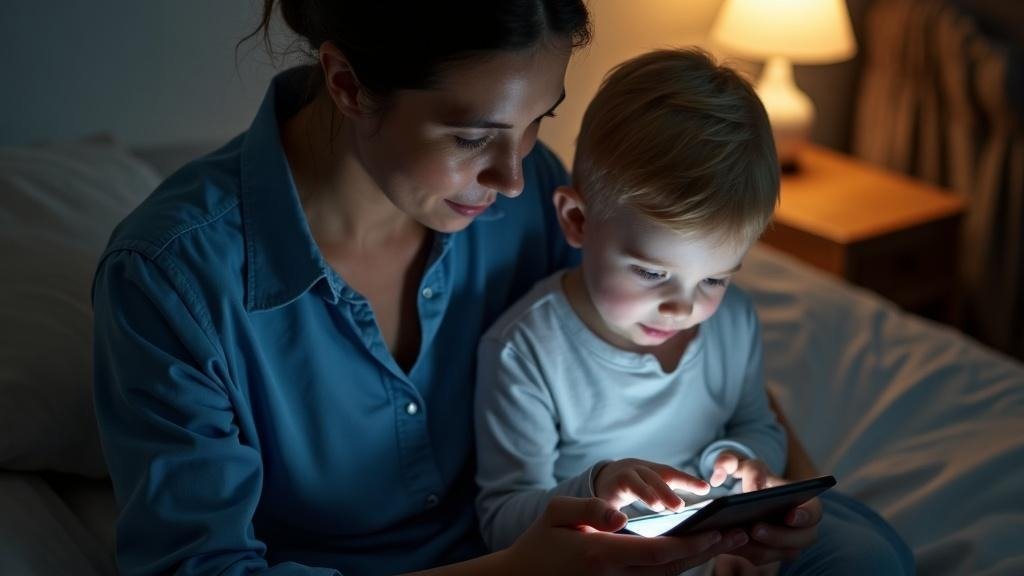
My nephew turned four last spring and still wasn’t putting two words together reliably. His parents were on a waitlist for a pediatric SLP, burning through YouTube videos, and genuinely unsure what to do on weekday mornings when the anxiety was high and the words just wouldn’t come. If you’re in a version of that situation, this list is for you.
None of these apps replace a licensed speech-language pathologist. Say that clearly up front. But some of them are genuinely good practice tools, and a few pair well with therapy you’re already doing. Here’s what I’d actually spend money on.
For outside context, see this asha.org.
For Pre-Readers and Neurodivergent Kids Who Shut Down at Screen Menus
Little Words
The thing that sets Little Words apart is that the whole experience runs on voice. The child just talks. No menus to tap, no text to read, no multiple-choice buttons a frustrated three-year-old will swipe at randomly. There’s an AI character named Buddy who holds actual back-and-forth exchanges, remembers the child’s name and favorite topics between sessions, and adjusts difficulty in real time.
Before each session, Buddy does a mood check and dials his energy up or down accordingly. That single feature alone would have helped my nephew on bad mornings. The app offers sensory presets, sessions adjustable from five to twenty minutes, and feedback that models the correct sound rather than flagging an answer as wrong. Parents get a dashboard, weekly progress cards, and SLP-style PDF reports they can hand directly to a therapist.
It’s COPPA-compliant, carries no ads, and sells no data. A free trial is available before any subscription charge hits. Genuinely the first thing I’d try with a pre-reader or a sensory-sensitive kid.
For Structured Articulation Drill Practice
Articulation Station (Little Bee Speech)
This one was built by SLPs and it shows. The word lists are organized by sound position (initial, medial, final), cover over 1,200 target words, and let you choose exactly which phoneme you’re working on. It’s clinical in the best sense: clear, organized, honest about what it is.
Pro version runs about $59.99 as a one-time purchase. No subscription anxiety. If your child is already in speech therapy and the SLP has identified specific target sounds, this is a practical homework companion. It’s drill-focused, not play-based, so younger or more reluctant kids may resist it. Worth knowing before you buy.
For Families Dealing with Apraxia, Autism, or Significant Delay
Speech Blubs
Speech Blubs takes a video-modeling approach, showing kids mouth movements and pairing them with over 1,500 voice-controlled activities. The app is designed with apraxia, autism, ADHD, and speech delay in mind, and the voice-activation piece means kids get real practice producing sounds rather than just watching.
Pricing lands at around $14.49 per month or $59.99 per year, with a lifetime option at $99.99. It’s one of the more thoroughly built apps in this space in terms of sheer volume of content. The visual face-mirroring feature is genuinely useful for kids who respond well to seeing mouth shapes. Not the most adaptive experience session-to-session, but a solid library.
For Budget-Conscious Families or Low-Verbal Kids
Otsimo
Otsimo targets autism, apraxia, Down syndrome, and non-verbal children, and it’s the most affordable option with real clinical intent on this list. Around $4.49 per month on an annual plan, or $6.99 monthly, with 200-plus exercises and AI-generated feedback built in. The exercise library is smaller than Speech Blubs, but the price makes it an easy entry point.
A lifetime plan runs about $115.99. For families managing tight budgets alongside therapist copays and evaluations, Otsimo gives you something real without a painful monthly commitment.
For School-Age Kids Already in Therapy Who Need Extra Reps
Tactus Therapy Apps
Tactus makes a suite of separate clinical apps, each priced roughly between $9.99 and $99.99 depending on focus area. They’re designed for practice between sessions, and the quality reflects clinical development rather than consumer-app design. Less polished visually, but the content is grounded in how speech therapy actually works.
Good for older kids (school-age and up) whose SLP can point them toward a specific Tactus app for targeted homework. Not a starting point for a two-year-old, but a legitimate tool for the right situation.
One Honest Caveat Before You Download Anything
Apps are practice tools. They can build reps, reduce anxiety, and keep a kid engaged between professional appointments. None of them assess a child, identify the root of a delay, or adjust a treatment plan the way a licensed SLP does. If you have real concerns about your child’s speech development, ASHA’s website has a referral finder, and teletherapy services like Expressable have made access easier than it used to be. Use apps as a supplement, not a substitute.
Common Questions
Does Little Words actually work differently from a standard speech app for a sensory-sensitive kid?
Yes, in a specific way. Most speech apps require menu navigation and button tapping, which can trigger frustration or shutdown in sensory-sensitive children before any practice happens. Little Words runs entirely on voice input, and the mood-check feature at the start of each session adjusts Buddy’s energy level to match where the child is that day.
Can Articulation Station replace homework a speech therapist would otherwise assign?
It can cover the same ground in many cases. The app organizes over 1,200 target words by sound position (initial, medial, final) and lets you isolate specific phonemes, which mirrors how SLPs structure drill work. That said, it works best when your child’s therapist has already identified the target sounds, so you’re practicing the right things.
Is Speech Blubs worth the price difference over Otsimo for a child with apraxia?
Possibly, depending on how your child responds to visual input. Speech Blubs offers over 1,500 voice-controlled activities and a face-mirroring feature that shows mouth shapes in real time, which is directly relevant to apraxia practice. Otsimo has 200-plus exercises at a fraction of the cost. If your child engages well with watching mouth movements, Speech Blubs earns the gap.
Which of these apps is appropriate for a child who is essentially non-verbal at age three?
Otsimo is the most explicitly designed for non-verbal and low-verbal children, alongside those with autism and Down syndrome. Little Words could also work if the child produces any vocalizations, since it responds to voice rather than requiring words. Both are worth a trial period before committing to a subscription.
Do any of these apps generate reports that a pediatric SLP would actually find useful?
Little Words does. It produces SLP-style PDF reports that parents can bring directly to therapy appointments. Tactus apps are also built around clinical frameworks and are often recommended by SLPs for between-session homework, though they don’t generate the same kind of shareable progress documentation.
Sources
- The American Speech-Language-Hearing Association maintains a family-facing guidance section at asha.org, including a tool for locating certified clinicians
- Apple App Store and Google Play Store public pricing pages for Speech Blubs, Articulation Station, Otsimo, and Tactus Therapy apps (verified pricing, 2024-2025 listings)
- Little Bee Speech official site, public product description for Articulation Station Pro
- Expressable teletherapy, public service description, expressable.com